MaxArt AI
Create
  • AI Video Effects
  • AI Image Effects
Models
  • Seedance 2.5New
  • GPT Image 2
  • Happy Horse
  • Seedance 2.0
  • Seedream 5.0 Pro
  • OiiOii AI
  • A2E AINew
  • Google Flow
Account
  • Pricing

Loading...

    English
    Français
    Deutsch
    Español
    Italiano
    日本語
    한국어
    Русский
    繁体中文
    Português
    Privacy policyTerms of service

    © 2026 MaxArt.ai All rights reserved.

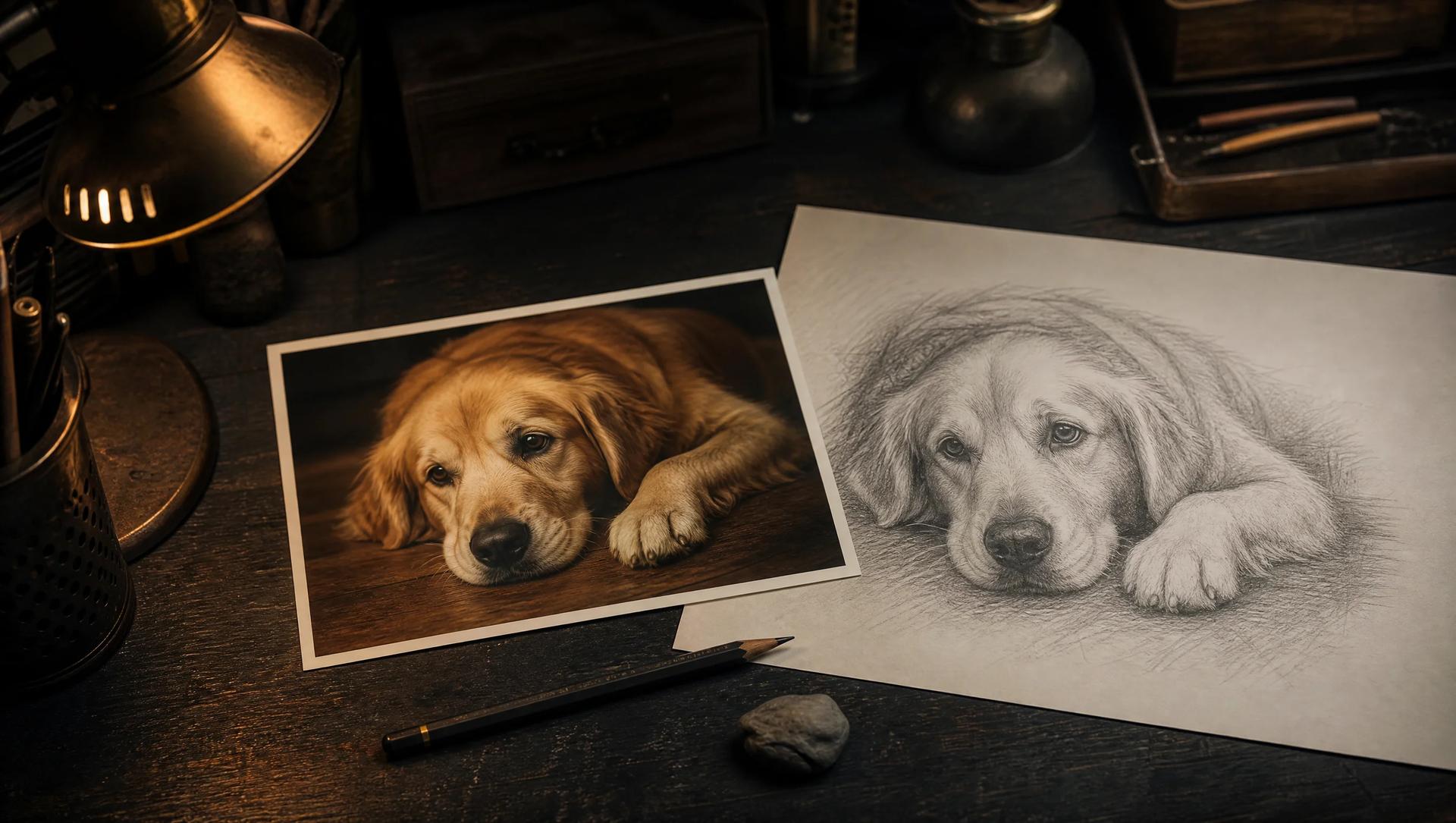
    A printed color photo of a golden retriever lying beside its pencil sketch version on a dark artist desk with a graphite pencil
    1. Home
    2. AI Image Effects
    3. Photo to Sketch

    Photo to Sketch: Turn Any Picture into Hand-Drawn Art

    Upload one photo and get a pencil sketch, ink outline, or clean line drawing

    This photo to sketch converter redraws your photograph as real-looking hand-drawn art — graphite hatching, ink contours, or open line work for coloring pages. Describe the drawing style in plain words and the photo to sketch generator keeps your subject, pose, and composition while changing only the medium. No drawing skills, no tracing, no design software between your photo and the sketch.

    Open the photo to sketch generatorSee real photo to sketch demos
    A printed color photo of a golden retriever lying beside its pencil sketch version on a dark artist desk with a graphite pencil

    One photo in, one drawing out: photo to sketch keeps the subject and redraws the medium.

    Photo to sketch generator

    Upload a photo and describe the sketch you want — pencil, charcoal, or clean line art. The exact credit cost shows before you generate; the default photo to sketch model costs 4 credits.

    Loading...

    Real photo to sketch before and after

    Every pair below was made with the photo to sketch generator on this page — an ordinary photo on one side, its drawn version on the other. Drag the handle to compare each photo to sketch conversion.

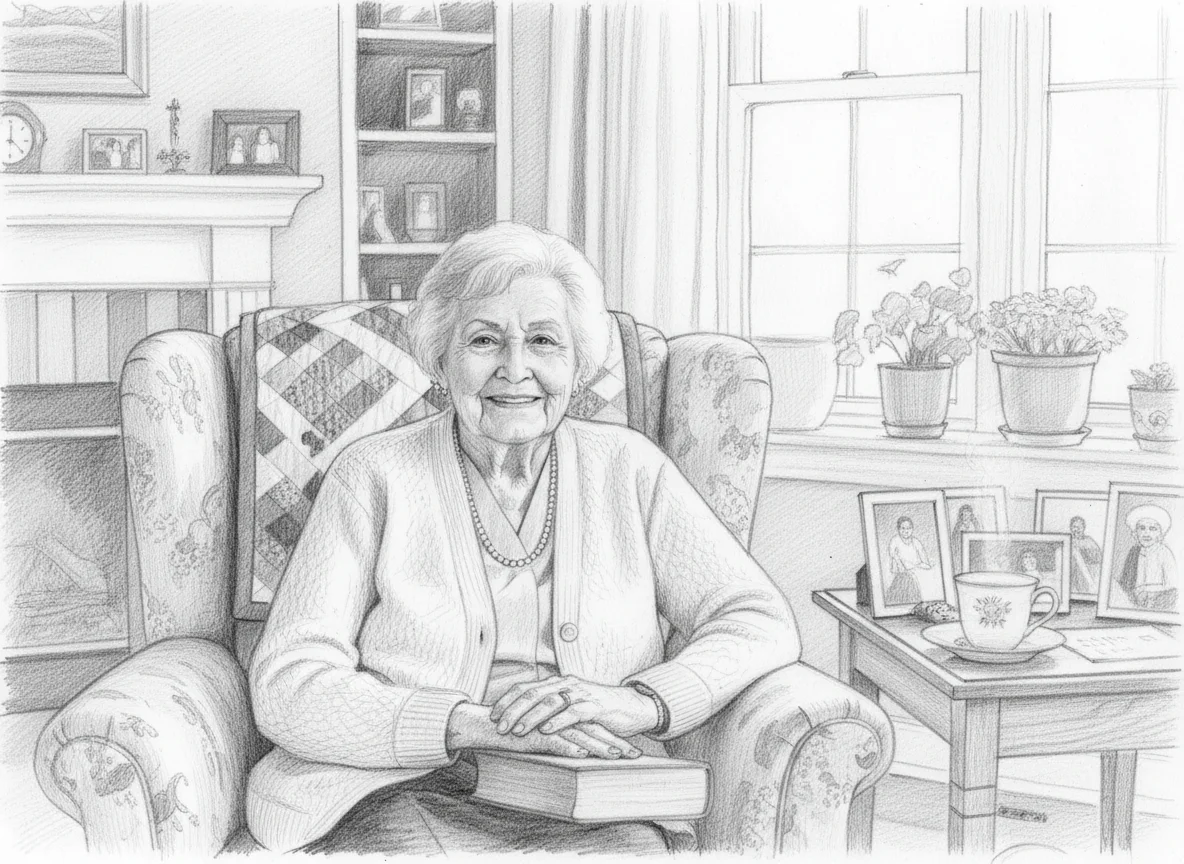
    After: sketched drawing — Portrait to pencil sketch
    Before
    Sketch

    Portrait to pencil sketch

    Photo to sketch demo: a window-lit portrait becomes a graphite drawing

    This photo to sketch demo starts with an ordinary family photo: a grandmother smiling in her armchair by a bright window, framed pictures and a teacup around her. The prompt asked for a detailed pencil sketch with fine graphite shading and visible hatching, keeping the exact pose and composition. The photo to sketch result keeps her expression, the quilt on the chair, and the window plants — but redraws everything as hand-held pencil strokes on clean white paper. Drag the handle: the photo to sketch conversion changes the medium, not the moment, which is exactly what makes a portrait sketch worth printing and framing.
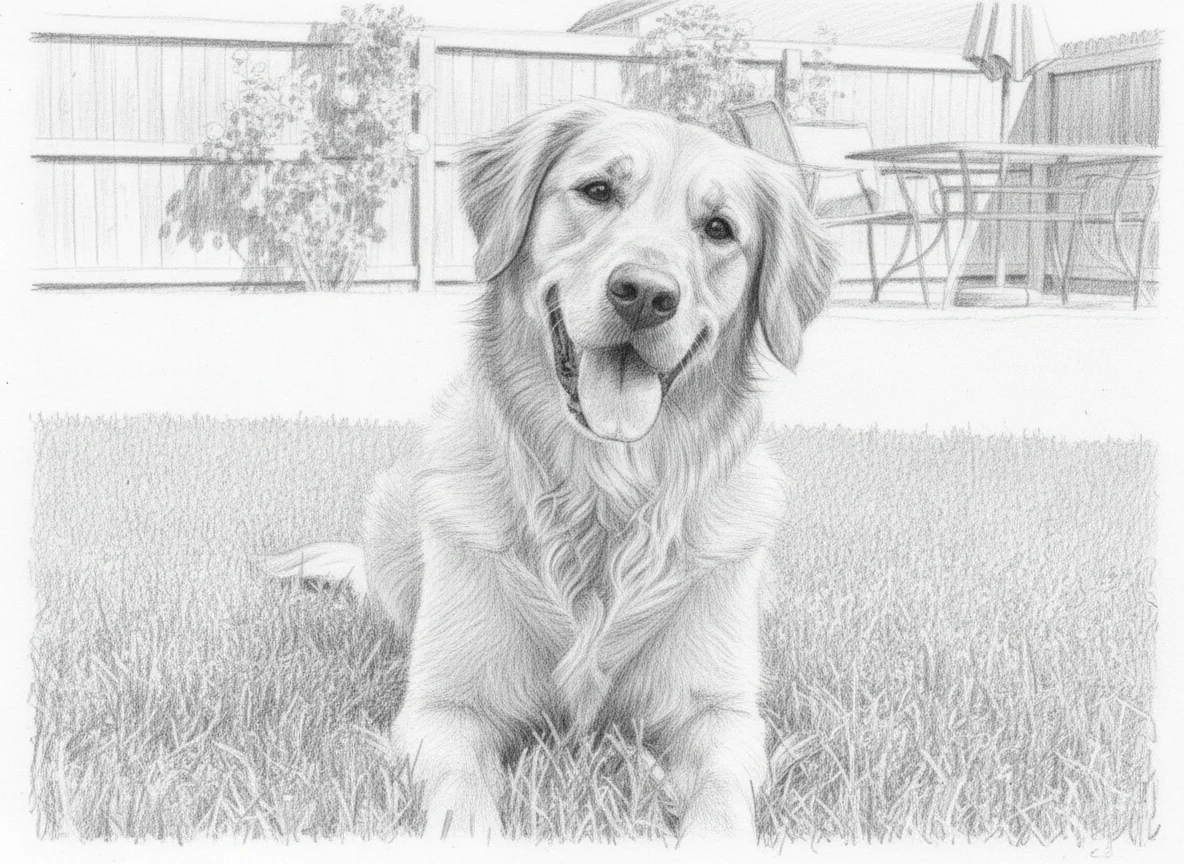
    After: sketched drawing — Pet photo to pencil sketch
    Before
    Sketch

    Pet photo to pencil sketch

    Photo to sketch demo: a golden retriever snapshot turns into pet art

    The source here is a classic backyard snapshot: a golden retriever lying in the grass, chin on paws. This photo to sketch conversion renders the dog in layered graphite — soft fur hatching around the ears, darker pencil work in the eyes and nose, the grass loosening into light strokes. Pet photos are forgiving photo to sketch material because fur texture translates naturally into pencil hatching. The photo to sketch output reads like a commissioned pet portrait, the kind of drawing people print on canvas or use for a memorial keepsake of a dog they loved.

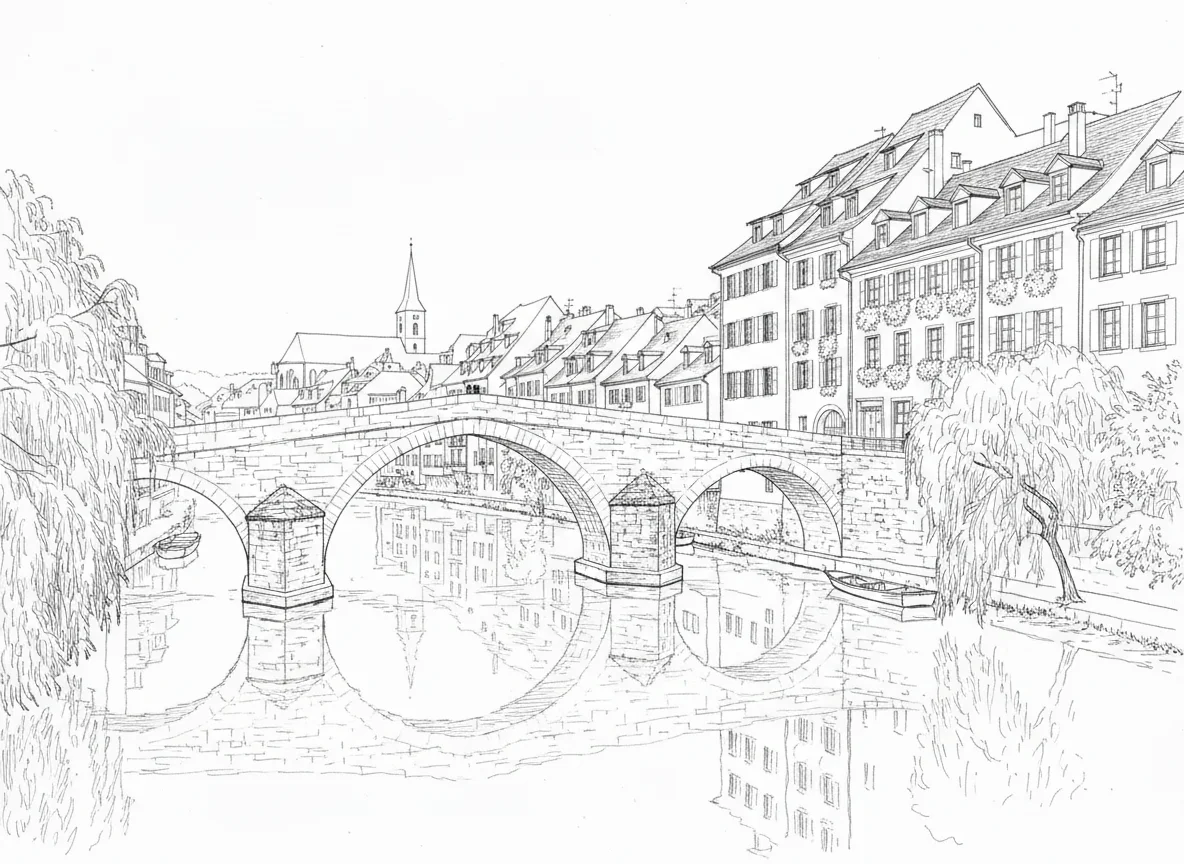
    After: sketched drawing — Landscape to ink line drawing
    Before
    Sketch

    Landscape to ink line drawing

    Photo to sketch demo: a stone bridge photo becomes clean line art

    This photo to sketch demo uses a travel photo of a stone bridge in an old European town, with morning light on the facades. The prompt asked for a crisp ink line drawing with mostly white space — and the photo to sketch engine stripped away color and shading, keeping only confident black contours: the arch of the bridge, rooflines, windows, and the river banks. Line-art photo to sketch conversions like this are the starting point for coloring pages, tattoo stencils, embroidery patterns, and architecture studies, because a clean outline is easier to reuse than a shaded drawing.

    Six ways people use photo to sketch

    Photo to sketch conversions show up in portraits, pet art, coloring pages, tattoo outlines, gifts, and travel journals — all starting from one ordinary photo.

    🖼️

    Photo to sketch for portraits and profile pictures

    The most popular photo to sketch job is a portrait: turn a favorite headshot or family photo into pencil art for a profile picture, an avatar, or a framed gift. Keep the face sharp and well lit in the source, and the photo to sketch conversion preserves the likeness while the graphite texture makes it feel hand-drawn.

    🐾

    Photo to sketch for pet portraits and keepsakes

    Pet owners use photo to sketch tools to turn dog and cat snapshots into printable art and memorial keepsakes. Fur, whiskers, and big eyes all translate beautifully into pencil hatching, so even a quick phone photo converts well, and the photo to sketch result matches the pet you remember.

    🖍️

    Photo to sketch for custom coloring pages

    Parents and teachers turn family photos, pets, and favorite places into personal coloring pages. Ask the photo to sketch generator for a clean line drawing with open white space, and you get outlines that are easy to print and color. A coloring page made from your own photo to sketch conversion beats a generic book page because kids recognize the subject.

    ✒️

    Photo to sketch for tattoo stencils and outlines

    Tattoo artists and their clients start from reference photos: a flower, a pet, a meaningful object. A photo to sketch line drawing strips shading down to clean contours, which is exactly the outline a stencil needs. Run the reference through photo to sketch first, agree on the simplified line version, and only then commit to the final design.

    🎁

    Photo to sketch for gifts and cards

    A pencil sketch of a wedding photo, a first home, or a beloved grandparent turns an ordinary print into a personal gift. Because a photo to sketch conversion keeps the pose and composition of the original, the recipient recognizes the moment at once. Printed on textured paper, it reads as commissioned art rather than a filter.

    🏞️

    Photo to sketch for travel and architecture line art

    Travelers and architecture fans convert landmark photos into line drawings for journals, prints, and study sketches. Strong shapes — bridges, skylines, old streets — survive the photo to sketch simplification best. Use the line-art version as a base for watercolor washes, bullet-journal spreads, or a minimal gallery wall of the places you have been.

    How photo to sketch works

    A photo to sketch conversion takes three steps: one photo, one sentence about the drawing style, and a finished sketch.

    1

    Upload a photo

    Start your photo to sketch conversion with any clear, well-lit photo — a portrait, a pet, a landscape. Faces and subjects should be sharp and well lit; the photo to sketch engine reads edges, light, and texture from the original, so a clean source gives the cleanest sketch lines.

    2

    Describe the sketch style

    Tell the photo to sketch generator what to draw: detailed pencil with soft hatching, bold charcoal, or a crisp ink line drawing with white space for coloring. Plain words control the look — no design skills, no layer panels, no manual tracing between your photo and the sketch.

    3

    Generate and download

    Run the generator and review the sketch in the preview panel. The exact credit cost shows before you confirm — the default photo to sketch model costs 4 credits, and new accounts start with 5. Download the finished drawing, or adjust one line of the prompt and run the photo to sketch conversion again.

    Photo to sketch FAQ

    Practical answers about source photos, styles, credits, and usage rights for photo to sketch conversions.

    What is photo to sketch conversion?⌄
    Photo to sketch is an image-to-image effect that redraws a photograph as a hand-drawn sketch — pencil, ink, charcoal, or clean line art. You upload one photo, describe the drawing style in a sentence, and the generator produces a sketched version that keeps the subject, pose, and composition of your original.
    What photos work best for photo to sketch?⌄
    Photo to sketch conversions work best with sharp, well-lit photos where the subject stands out from the background: portraits with clear faces, pets in daylight, buildings with strong outlines. Blurry or very dark sources give softer, less defined sketch lines, so pick the cleanest version of the photo you have.
    Is photo to sketch free to try?⌄
    Yes, in practice: new MaxArt accounts receive 5 starter credits, and a photo to sketch conversion with the default model costs 4 credits, so your first sketch is covered. After that, each generation shows its exact credit cost before you confirm, and higher-end models cost more per image.
    Which sketch styles can I get from a photo?⌄
    The prompt controls the style. Ask the photo to sketch generator for a detailed pencil portrait with fine hatching, a bold charcoal study, a soft graphite drawing, or a minimal ink line drawing with open white space. You can also steer line weight and shading density in words — thicker outlines for stencils, lighter strokes for a delicate look.
    How long does a photo to sketch conversion take?⌄
    A photo to sketch render typically finishes in well under a minute. The sketch appears in the preview panel as soon as it is ready, and you can download it or tweak the prompt and regenerate.
    Can I use photo to sketch results commercially?⌄
    Commercial use depends on your MaxArt plan and on the rights you hold to the source photo. Only convert photos you own or have permission to use, and check the current MaxArt terms before printing sketches on merchandise or delivering them in paid client work.
    Will the sketch still look like the person in my photo?⌄
    Yes — likeness preservation is the point of the photo to sketch approach. The model redraws your actual subject instead of inventing a new face, so the pose, expression, and composition carry over. Clear, front-lit faces convert most faithfully; heavy shadows or tiny distant faces give the pencil less to work with.
    How is photo to sketch different from a photo filter?⌄
    A classic filter edge-detects your pixels and flattens them into a canned effect. This photo to sketch generator actually redraws the image: it decides where an artist would put hatching, where lines should break, and how much detail to keep. That is why the output looks drawn on paper rather than processed.

    Turn your first photo to sketch

    Pick a photo you own — a portrait, a pet, a favorite place — write one sentence about the drawing style, and let the photo to sketch generator redraw it. Your first conversion is covered by starter credits, so the only thing between your photo and its sketch is one upload.

    Convert a photo to sketch