MaxArt AI
Create
  • AI Video Effects
  • AI Image Effects
Models
  • Seedance 2.5New
  • GPT Image 2
  • Happy Horse
  • Seedance 2.0
  • Seedream 5.0 Pro
  • OiiOii AI
  • A2E AINew
  • Google Flow
Account
  • Pricing

Loading...

    English
    Français
    Deutsch
    Español
    Italiano
    日本語
    한국어
    Русский
    繁体中文
    Português
    Privacy policyTerms of service

    © 2026 MaxArt.ai All rights reserved.

    Home›AI Image Effects›Photo to Painting

    Photo to Painting: Turn Moments into Art

    This photo to painting converter turns any picture — a portrait, a pet, a landscape, a family scan — into a real-looking oil painting, watercolor, or impressionist artwork. Upload, name the style, and the AI repaints your image with visible brushwork while keeping the pose, composition, and likeness exactly yours. Your first photo to painting conversion is covered by free signup credits, and the exact cost shows before you generate.

    Turn a photo into a paintingSee real demos ↓
    • ✓Oil, watercolor, impressionist, sketch, pop art — describe any photo to painting style in one sentence
    • ✓High-resolution downloads up to 4K, no watermark, commercial use included
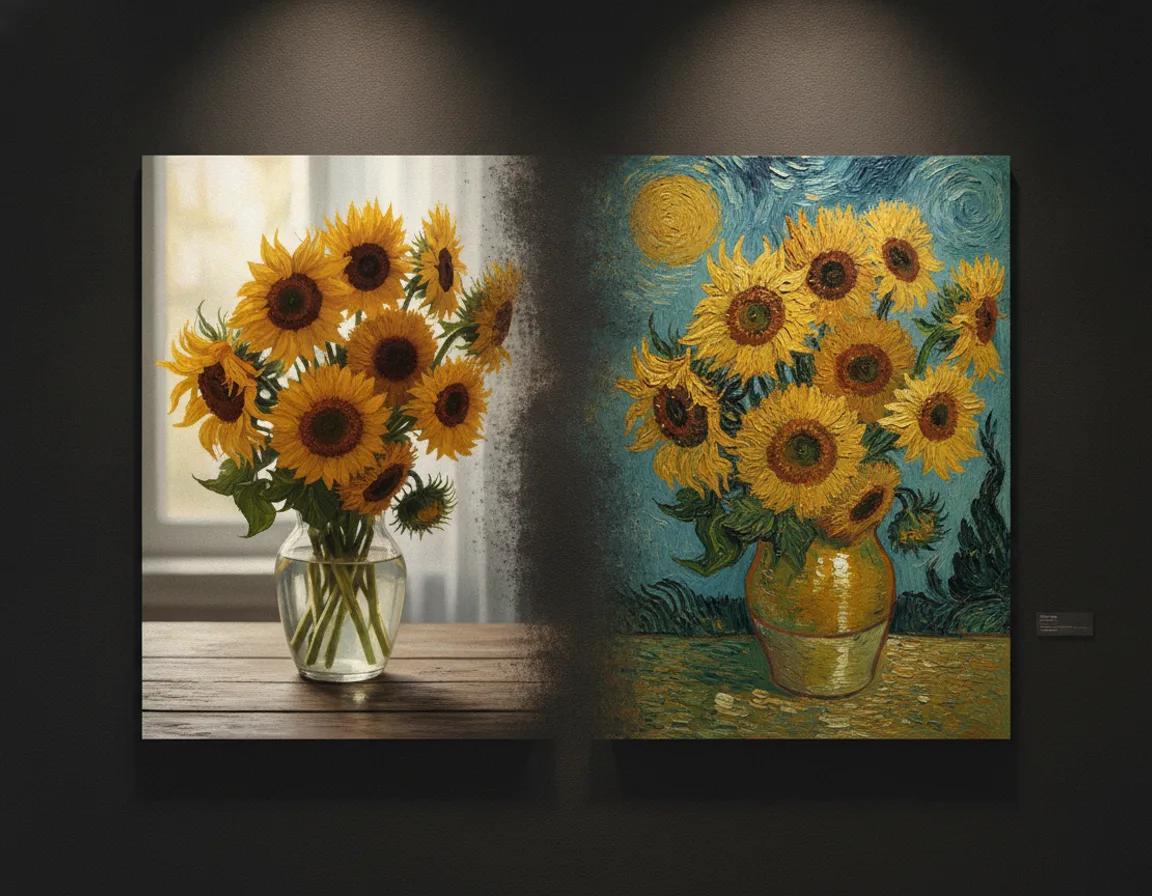
    Photo to painting example: a photo of sunflowers in a vase dissolving into a Van Gogh style oil painting

    Create your photo to painting artwork

    Upload any photo and describe the painting you want — the photo to painting generator keeps your subject and repaints the world around it. New accounts start with 5 credits and a painting starts at 4 credits, so the first one is on us.

    Loading...

    Real before and after

    See real photo to painting results

    Every pair below was made with the generator on this page — an ordinary photo on one side, its photo to painting result on the other. Drag the handle to compare.

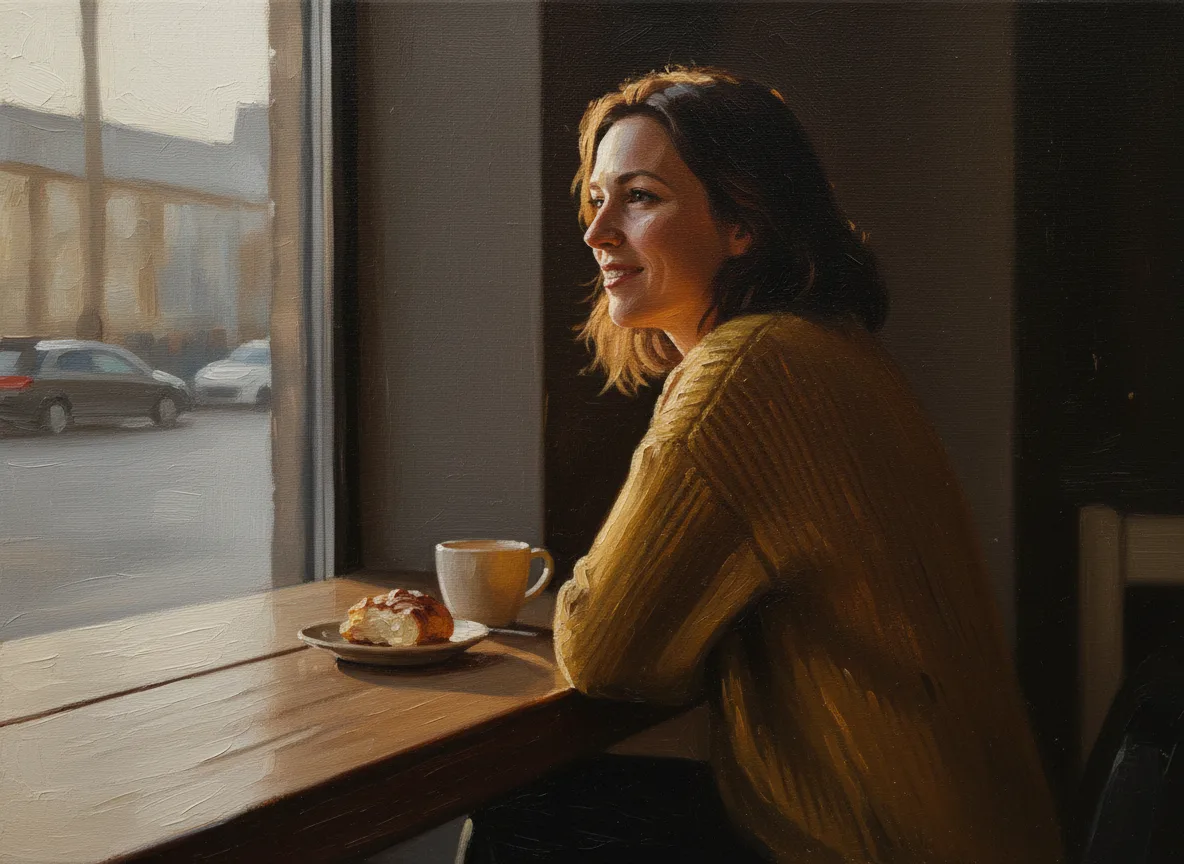
    After: painted artwork — photo to painting portrait demo, cafe snapshot to classical oil painting
    Before
    Painting

    Portrait to oil painting

    From a casual cafe snapshot to a classical oil portrait

    The before frame is a photo everyone already has: a relaxed moment by a cafe window in soft daylight. This photo to painting conversion rebuilds it as a classical oil portrait — warm chiaroscuro light, visible brushwork in the sweater and hair, a background melting into painted shadow. The pose, the smile, and the likeness stay exactly where the photo put them; only the medium changes. An oil portrait turns an everyday snapshot into something worth framing — keep the face sharp and well lit and the painted person stays unmistakably themselves.

    • ✓Sharp, well-lit faces give the most faithful painted likeness
    • ✓Oil style keeps features precise while adding canvas texture
    • ✓Three-quarter and profile portraits paint most flatteringly
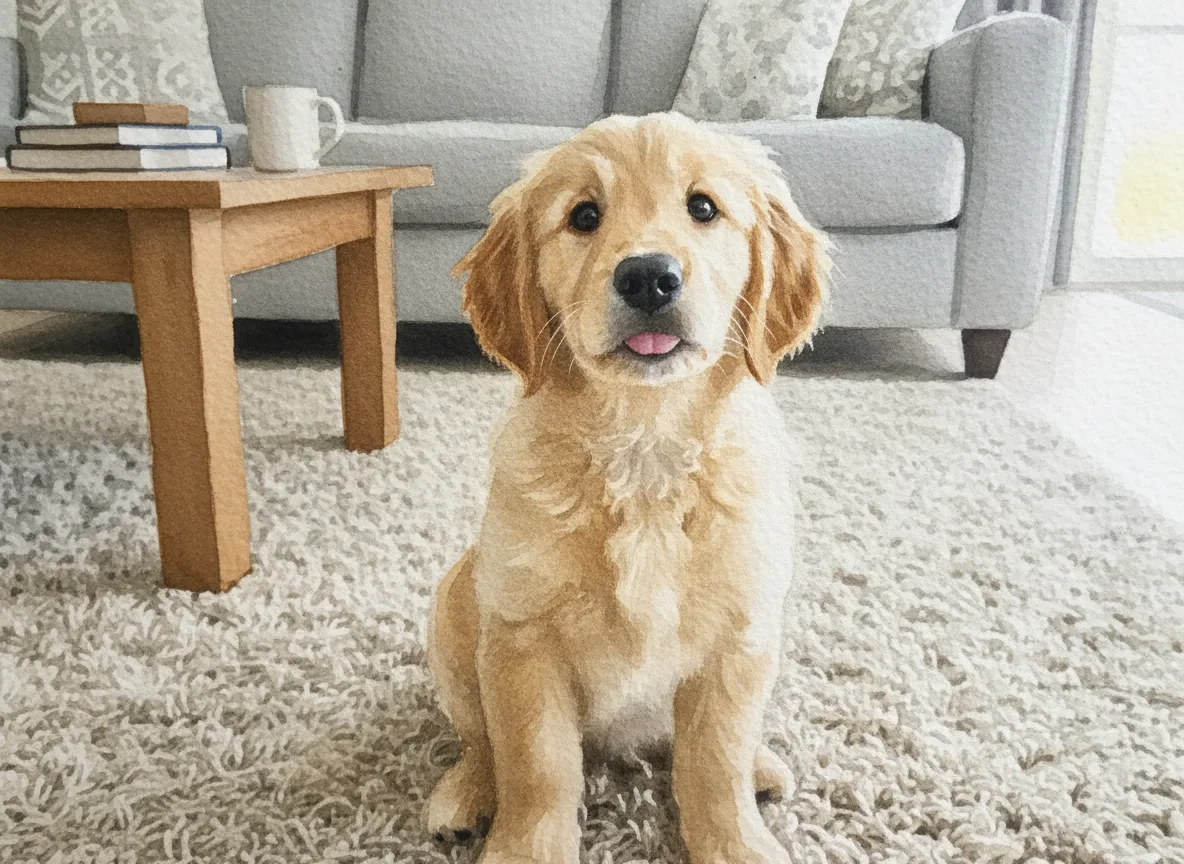
    After: painted artwork — photo to painting pet demo, puppy snapshot to watercolor on paper
    Before
    Painting

    Pet to watercolor

    A living-room puppy photo becomes a watercolor keepsake

    The source is an ordinary indoor snapshot: a golden retriever puppy on the rug, looking up at the camera. The photo to painting process turns it into a delicate watercolor — soft washes of honey and cream, pigment bleeding gently into textured paper grain, the rug fading into loose strokes. Watercolor is the forgiving style of the photo to painting world: it softens cluttered backgrounds and indoor lighting, which makes it perfect for phone-taken pet photos. The result reads like a commissioned portrait, ready to print and gift.

    • ✓Watercolor softens busy backgrounds and indoor phone lighting
    • ✓Paper grain and pigment bleeds sell the hand-painted feel
    • ✓Pet portraits are a top photo to painting gift use case
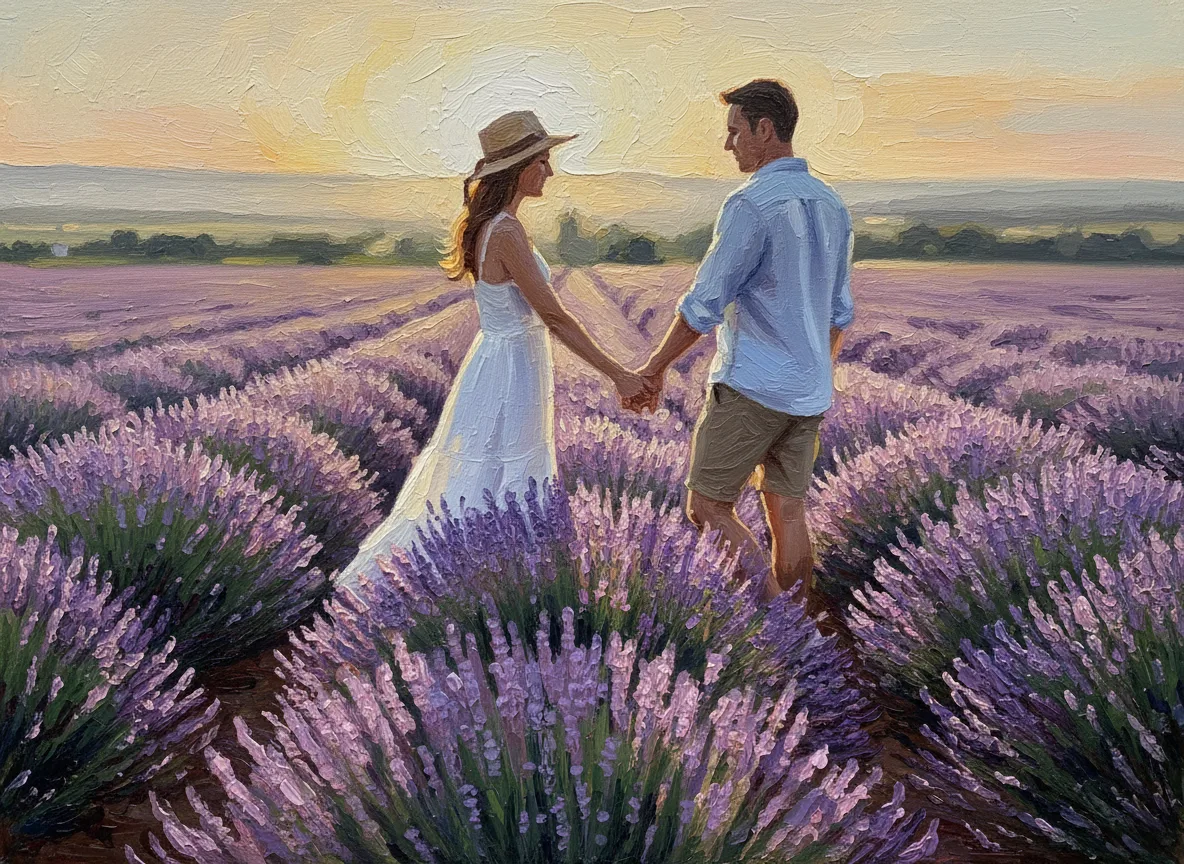
    After: painted artwork — photo to painting couple demo, lavender field photo to impressionist painting
    Before
    Painting

    Couple to impressionist

    A golden-hour travel photo becomes an impressionist painting

    The before photo is a travel classic: two people holding hands in a lavender field at golden hour. This photo to painting transformation renders it in loose impressionist strokes — the sunset light breaks into dappled color, the lavender rows become rhythmic violet brushwork, and the couple stays perfectly recognizable in pose and silhouette. Impressionist and oil styles love big skies and natural light, so landscape and travel shots are ideal photo to painting candidates. If you have ever wanted a favorite trip photo as wall art instead of a file on your phone, this is the conversion that does it.

    • ✓Golden-hour and landscape photos suit impressionist styles
    • ✓Loose brushwork turns cluttered detail into painted rhythm
    • ✓Travel and wedding photos make the strongest painted wall art

    Style picker

    Photo to painting styles for every subject

    The style you name changes everything about a photo to painting result. Start from this cheat sheet, then describe any variation in the prompt.

    Oil painting

    Portraits, pets, still life

    Rich color, visible brushstrokes, and gallery depth. The most requested photo to painting style — choose it when you want a framed-canvas feel and facial likeness matters.

    Watercolor

    Pets, weddings, soft portraits

    Light washes, paper texture, and gentle edges. Watercolor forgives imperfect phone photos better than any other photo to painting style, and flatters pets and romantic scenes.

    Impressionist

    Landscapes, travel, gardens

    Loose, light-dappled strokes in the spirit of Monet. Big skies, water, fields, and golden-hour city shots convert beautifully — this style turns scenic detail into painted atmosphere.

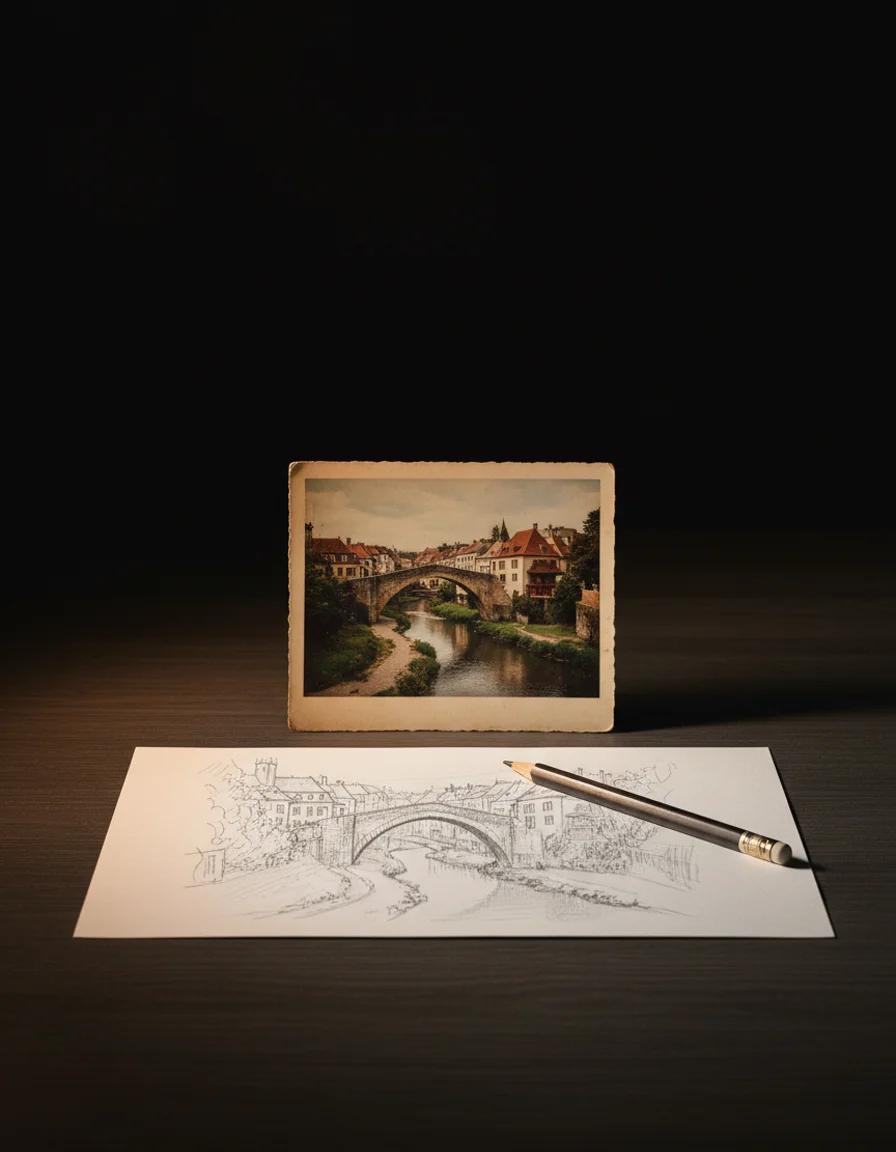
    Pencil sketch

    Architecture, babies, minimal gifts

    Graphite lines and cross-hatching instead of color. A sketch conversion strips a photo to its shapes — striking for buildings, newborns, and minimalist prints.

    Pop art

    Avatars, posters, bold social posts

    Flat color blocks and punchy contrast. Pop art is the loudest photo to painting option: great for profile pictures, event posters, and anything that needs to stop a scroll.

    Renaissance & classical

    Formal portraits, anniversaries

    Old-master lighting, deep backgrounds, and dignified poses. Pick this when a photo to painting gift should feel ceremonial — milestone birthdays, anniversaries, and formal family portraits.

    Where it earns its keep

    Where a photo to painting fits in real life

    Gifts, decor, avatars, merch — most photo to painting jobs fall into one of these six buckets.

    01

    Portrait keepsakes and gifts

    A family photo to painting conversion turns an everyday picture into a birthday or holiday gift that feels commissioned. Print it, frame it — nobody believes it started as a phone snapshot.

    02

    Pet portraits

    Dogs, cats, and horses are among the most-painted subjects online. A pet photo to painting keepsake in watercolor or oil is the gift pet people actually keep.

    03

    Wedding and anniversary art

    Turn a ceremony or first-dance photo into an impressionist painting for an anniversary surprise. Couples use photo to painting conversions for thank-you cards, canvas prints, and decor.

    04

    Wall art and home decor

    Your own travel photos become cohesive wall art when they share one painted style. A photo to painting series in matching tones fills a hallway or office for the price of a few prints.

    05

    Social avatars and posts

    A painted avatar stands out in a feed of filtered selfies. Creators use photo to painting conversions for profile pictures, post covers, and story backgrounds that look designed.

    06

    Small business and merch

    Etsy sellers and small brands turn product and team photos into painted visuals for listings, packaging, and print-on-demand merch. You keep commercial rights to the paintings you make.

    A repeatable workflow

    How to turn a photo into a painting in three steps

    The photo to painting rhythm is simple: pick a clear photo, name a style, let each result sharpen your next prompt.

    01

    Upload your photo

    Drop in a portrait, pet photo, landscape, or old family scan. Sharp, well-lit photos with one clear subject give the strongest photo to painting results.

    02

    Describe the painting style

    Name the style you want — oil painting, watercolor, impressionist, sketch, pop art — plus any mood or palette direction. One sentence is enough for a faithful photo to painting conversion.

    03

    Generate and download

    Review the painting, regenerate with sharper style direction if you want a different mood, then download a high-resolution file with no watermark — ready to print, frame, gift, or post.

    Know your options

    Photo to painting: AI repaint vs filter apps vs hand-painted

    Three honest routes from a photo to a painting — what each costs in money, time, and control.

    AI repaint — MaxArt

    Cost
    From 4 credits per painting
    Time
    Seconds
    Control
    Any style you can describe, regenerate until the style is right
    Best for
    Gifts, decor, social, merch — most people, most photos

    Phone filter apps

    Cost
    Free with watermarks, or subscriptions
    Time
    Seconds
    Control
    Preset filters only, flat one-click looks
    Best for
    Quick playful edits when fidelity does not matter

    Hand-painted commission

    Cost
    $89 to $400+ per piece
    Time
    One to six weeks
    Control
    A real artist, slow revision cycles
    Best for
    Heirloom oil portraits with a physical canvas budget

    Frequently asked questions

    Photo to painting questions, answered honestly

    Straight answers about credits, watermarks, likeness, styles, and printing your photo to painting results.

    Is this photo to painting converter free?⌄
    Free to start. New accounts receive 5 credits, and a photo to painting conversion starts at 4 credits — so your first painting is covered. The exact credit cost always shows before you generate.
    Do you add a watermark to my painting?⌄
    No. Every photo to painting result downloads clean — no watermark, no logo overlay. What you generate is the full file you keep.
    Can I use my painting commercially?⌄
    Yes. Paintings you create with the photo to painting converter are yours to use, including commercially — prints, merch, listings, client gifts. If you paint from someone else's photo, make sure you hold the rights to the source.
    What kind of photos work best for photo to painting conversion?⌄
    Sharp, well-lit photos with one clear subject convert best, and three-quarter or profile portraits paint most flatteringly. Cluttered backgrounds are fine — watercolor and impressionist styles gracefully simplify them into painted texture.
    Will the painting still look like me or my pet?⌄
    Yes, when the source photo is sharp. The photo to painting process repaints your photo rather than replacing it, so pose, composition, and likeness carry over. For maximum fidelity choose oil or impressionist styles; looser styles like watercolor intentionally soften fine detail.
    Which painting styles can I make from a photo?⌄
    Oil painting, watercolor, impressionist, pencil sketch, pop art, renaissance — and anything else you can describe. The style comes from your prompt, so one photo can become both a formal oil and a playful watercolor.
    Can I turn old or faded family photos into paintings?⌄
    Yes, and old photos are a lovely fit. Painting styles soften grain, fading, and small scratches into texture, so a scanned heirloom often looks more natural as a painting than as a restored photo.
    What resolution do I get? Can I print my painting?⌄
    Downloads are high-resolution — up to 4K with supported models, large enough for canvas prints and framed wall art. For big prints, choose the highest resolution option in the generator.

    Ready to see your photo as a painting?

    One upload, one sentence of style direction — your first photo to painting conversion is covered by signup credits. Your next framed gift could start as the photo already on your phone.

    Open the photo to painting converter