MaxArt AI
Pricing
Create
  • AI Video Effects
  • AI Image Effects
Models
  • Nano Banana 2.1New
  • GPT Image 2.5New
  • Seedance 2.5New
  • GPT Image 2
  • Happy Horse
  • Seedance 2.0
  • Seedream 5.0 Pro
  • OiiOii AI
  • A2E AINew
  • Google Flow

Loading...

    English
    Français
    Deutsch
    Español
    Italiano
    日本語
    한국어
    Русский
    繁体中文
    Português
    Privacy policyTerms of service

    © 2026 MaxArt.ai All rights reserved.

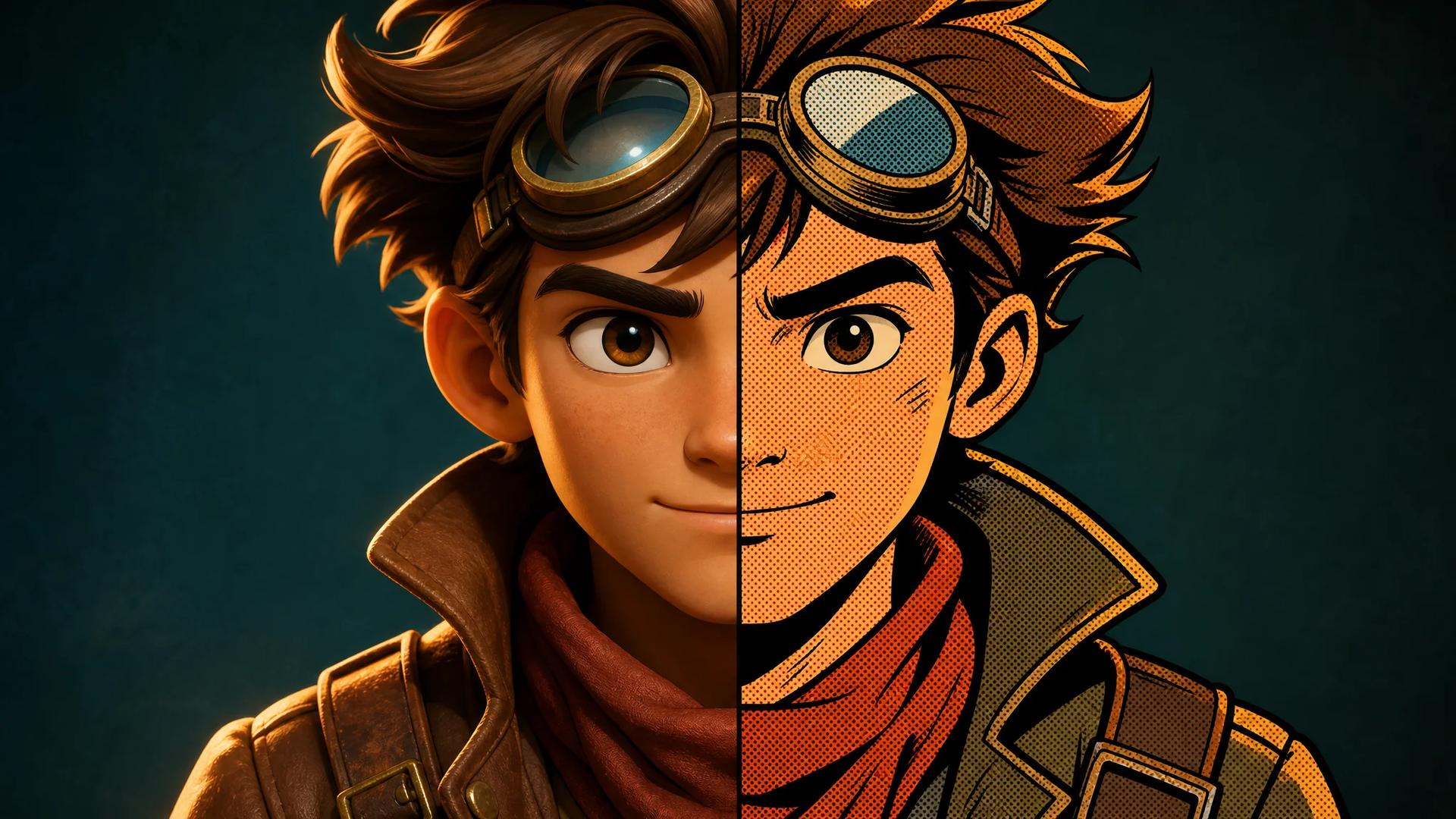
    Comic book filter hero art: a stylized cartoon adventurer split between smooth 3D shading and comic-book ink with halftone dots
    1. Home
    2. AI Image Effects
    3. Comic Book Filter

    Comic Book Filter: Your Photo as Comic Art

    A comic book filter with real ink craft

    Upload any photo and the comic book filter redraws it as a printed panel: bold black ink outlines, flat cel shading, and Ben-Day halftone dots. The comic book filter keeps your subject, pose, and composition — only the medium changes.

    Try the comic book filterSee comic book filter demos
    Comic book filter hero art: a stylized cartoon adventurer split between smooth 3D shading and comic-book ink with halftone dots

    One character, two mediums — the comic book filter look starts from the same lines.

    Turn a photo into comic art

    Drop in a portrait, a pet, or a street shot. The comic book filter shows the credit estimate before anything renders, and new accounts get starter credits that cover a first comic book filter image.

    Loading...

    Three photos through the comic book filter

    Every pair below is a real comic book filter output from the model on this page — one shared prompt, three different photos. Drag the handle to compare before and after.

    Comic book filter result — Portrait to comic panel
    Before
    Comic book filter

    Portrait to comic panel

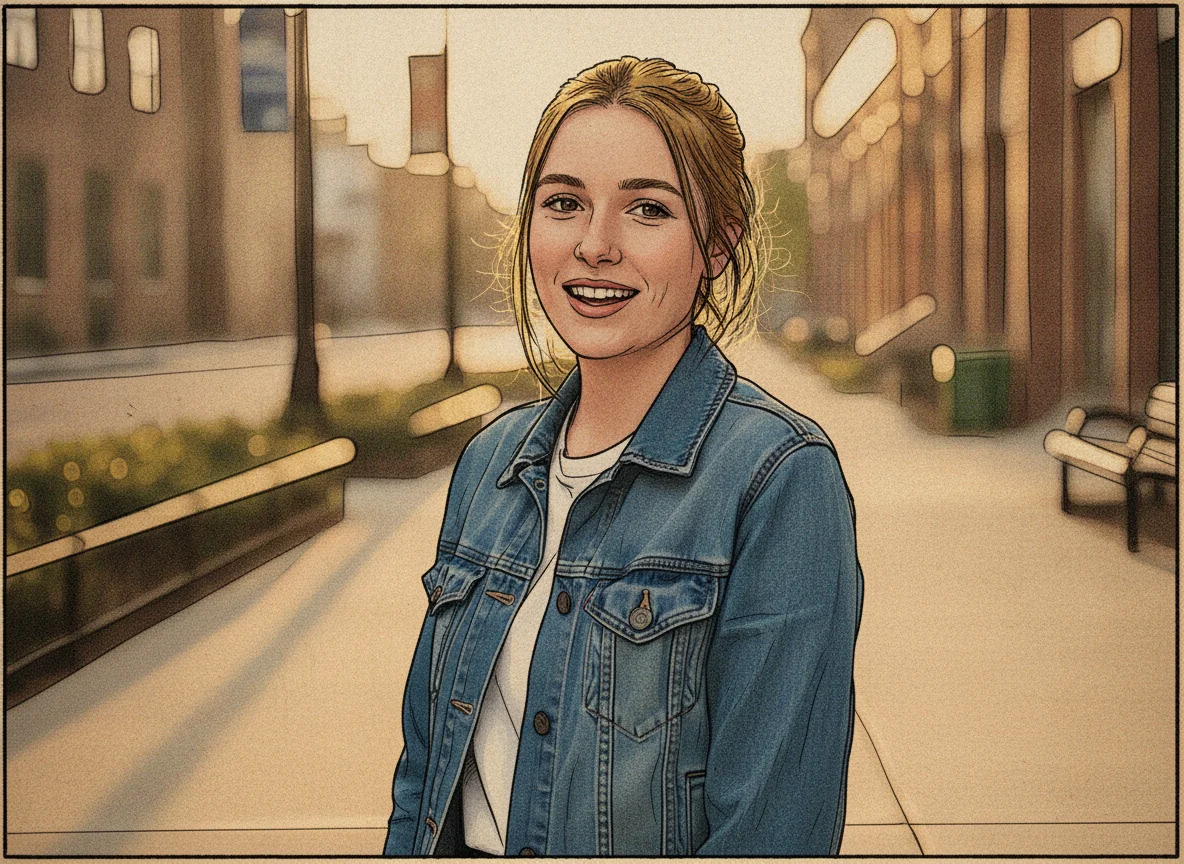
    A golden-hour portrait becomes a comic book portrait

    The source is an everyday sidewalk portrait: a young woman in a denim jacket, golden-hour light, soft city blur behind her. The comic book filter keeps her exact pose, framing, and smile, and rebuilds the photo as print: bold black ink outlines, flat cel shading, and halftone dots in the shadows. Drag the handle and the comic book filter result still reads as the same person in the same moment — that likeness is what turns a quick comic book portrait into a gift people actually keep.
    Comic book filter result — Pet photo to comic panel
    Before
    Comic book filter

    Pet photo to comic panel

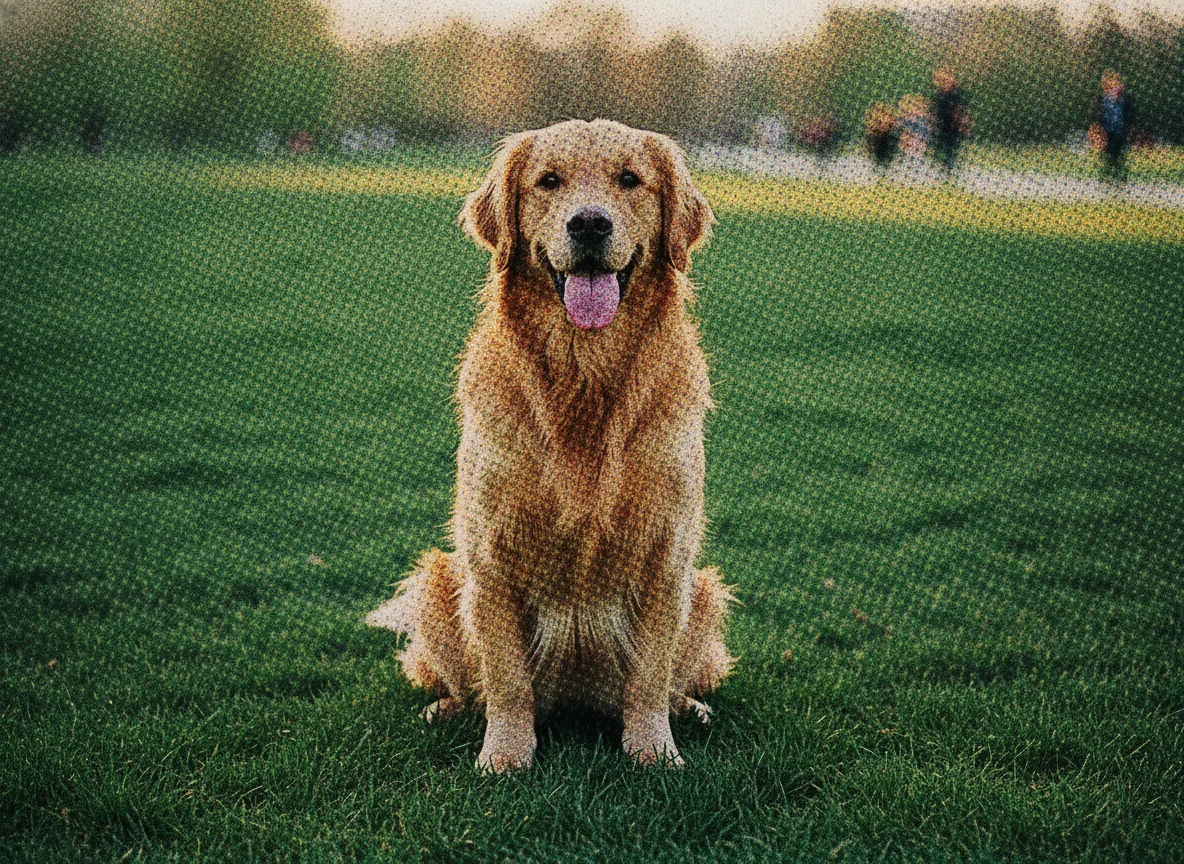
    A golden retriever, redrawn as a four-color panel

    Pet photos are where a comic book photo filter earns its keep: fur is hard to draw and easy to ink. The comic book filter traces the retriever’s outline in heavy black, flattens the grass into cel-shaded color blocks, and lays Ben-Day dots into the darker fur. The tongue-out grin survives the conversion untouched, so the comic book filter panel still feels like your dog — just printed on newsprint instead of a phone screen.

    Comic book filter result — Street photo to comic panel
    Before
    Comic book filter

    Street photo to comic panel

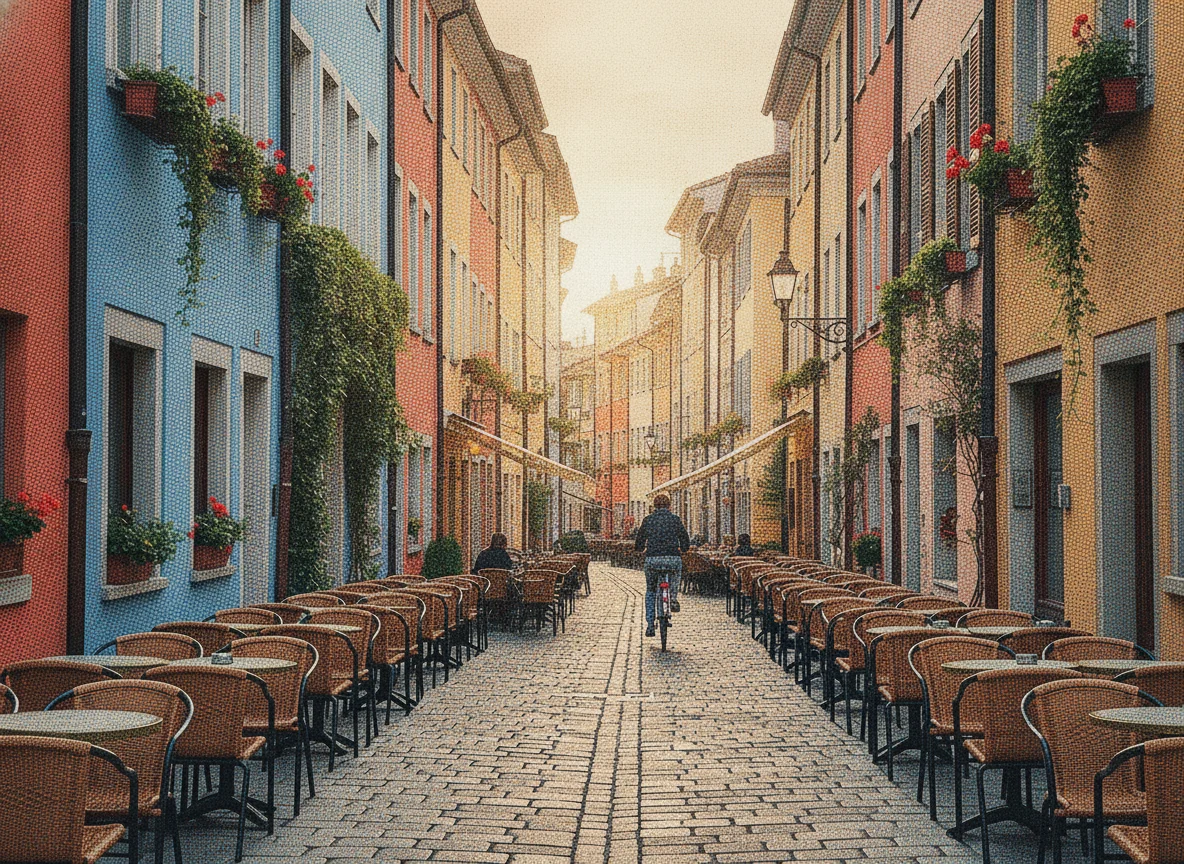
    An old-town street turns into graphic-novel scenery

    Travel shots are classic photo to comic material: strong lines, flat facades, morning shadows. The comic book filter pulls every balcony and window frame into crisp ink, pushes the colorful walls toward a four-color print palette, and dots the shaded side of the street with halftone. The cyclist in the distance keeps his exact shape, so the comic book filter version reads like a background plate from a graphic novel set in the same street.

    Six ways to use the comic book filter

    Behind every comic book filter search there is a concrete job. Each card is a ready-made brief — upload the photo you already have and the comic book filter does the inking.

    🦸

    Comic book filter avatars

    A comic book filter portrait stands out in a feed of identical headshots. Run one selfie through the comic book filter and you get an avatar with real ink craft for profiles, gaming handles, and chat apps.

    🎁

    A comic book portrait as a gift

    A framed comic book portrait of a partner, a parent, or a friend group lands better than another photo print. The comic book filter keeps the likeness exact, so the gift is clearly them — in panels.

    🐾

    Comic book filter pet art

    Pets are the hardest subject to draw by hand and the easiest win for a comic book photo filter: outlines, cel shading, and halftone turn one park photo into wall-worthy comic art.

    🏙️

    Travel shots as comic panels

    Streets, skylines, and cafe corners are natural photo to comic material. The comic book filter converts one trip photo into a graphic-novel background plate for posts, blogs, and zines.

    🎭

    Superhero filter looks for cosplay

    Cosplayers use the comic book filter as a superhero filter pass: one costume photo becomes a panel-ready still for convention recaps, fan pages, and print posters.

    📰

    Comic art for zines and posters

    Zine makers and event organizers use the comic book filter as raw material: ink-style stills for covers, flyers, and social cards, all consistent because one shared prompt drives every image.

    How the comic book filter works

    Three steps from camera roll to a printed-panel look — no drawing skills and no software to install.

    1

    Upload a photo

    Start the comic book filter with any sharp, well-lit photo. Front-facing portraits, sitting pets, and street scenes with strong lines give the comic book filter the most ink to work with.

    2

    Steer the style

    The default prompt delivers the classic four-color look; edit it to push the comic book filter toward gritty black-and-white ink, a retro pop art filter halftone, or heavier outlines for posters.

    3

    Download and share

    The comic book filter shows the exact credit cost before anything renders. Download the finished panel in high resolution for avatars, prints, and posts — it stays in your account history.

    More AI image effects

    AI Smile Filter

    AI Smile Filter

    Add a natural, identity-true smile to any photo, from a subtle grin to a big beaming smile

    AI Image Denoiser

    AI Image Denoiser

    Remove grain, sensor noise, and JPEG artifacts from photos while keeping real detail sharp

    AI Hair Growth

    AI Hair Growth

    See yourself with longer, fuller hair from a single portrait — only the hair changes

    Nano Banana 2.1

    Nano Banana 2.1

    Create with Google's real Nano Banana 2.1 image model today — sharp design, consistent subjects, and legible text up to 4K

    GPT Image 2.5

    GPT Image 2.5

    Create precise images from plain-language briefs with GPT Image 2.5, OpenAI's newest image model, in five quality tiers

    GPT Image 2

    GPT Image 2

    Create polished portraits, posters, room concepts, and edited visuals with GPT Image 2 on MaxArt.ai

    Seedream 5.0 Pro

    Seedream 5.0 Pro

    Create controlled images, precise edits, and structured visual designs with Seedream 5.0 Pro

    Recraft V4

    Recraft V4

    Recraft V4 explained — plus a free design-focused AI image generator you can try on MaxArt today

    Comic book filter questions, answered

    Cost, styles, likeness, and what the comic book filter does with your photo.

    How much does the comic book filter cost?⌄
    The comic book filter shows a credit estimate before you confirm, and new accounts receive starter credits that cover the first image with the default model. Every comic book filter run after that shows its exact cost up front.
    What styles can the comic book filter produce?⌄
    The default is classic full-color comic print: bold ink outlines, cel shading, and halftone dots. Edit the prompt to steer the comic book filter toward black-and-white noir ink, a pop art filter look with oversized Ben-Day dots, or heavier poster outlines.
    Does the comic book filter work on pets and landscapes?⌄
    Yes. Portraits are the most popular comic book filter input, but the demos above include a dog and a street scene for a reason: fur, facades, and skies all convert cleanly into ink and halftone.
    Comic book filter vs cartoon filter — what is the difference?⌄
    A cartoon filter softens a photo into rounded, playful shapes. The comic book filter goes the other way: sharp ink outlines, flat cel shading, and halftone print texture, so the result reads like a printed comic panel rather than an animated frame.
    How do I get the best comic book filter result?⌄
    Use a sharp, well-lit photo where the subject fills a good part of the frame. Front-facing faces give the comic book filter the cleanest lines; heavy shadows, motion blur, and tiny distant subjects produce weaker conversions.
    Can I use comic book filter images in my projects?⌄
    Yes — avatars, prints, gifts, and personal or commercial projects, under the terms shown during generation. Many users print a comic book filter portrait as a poster or card.
    Do I need to install a comic book filter app?⌄
    No. This comic book filter runs in the browser: upload, adjust the prompt if you like, and download. There is no comic book filter app to install and nothing to sync between devices.
    Will the comic book filter keep my likeness?⌄
    Yes — the comic book filter redraws the medium, not the subject. Pose, framing, expression, and background carry over; only the rendering changes to ink, cel shading, and halftone.

    Your comic book filter panel is one upload away

    Pick a photo and watch the comic book filter lay down the ink. The first comic book filter image is covered by starter credits, and every result downloads in high resolution.

    Try the comic book filter