MaxArt AI
Créer
  • Effets Vidéo IA
  • Effets d'Image IA
Modèles
  • Seedance 2.5New
  • Image GPT 2
  • Cheval Heureux
  • Seedance 2.0
  • Seedream 5.0 Pro
  • OiiOii AI
  • A2E AINew
  • Google Flow
Compte
  • Tarification

Loading...

    English
    Français
    Deutsch
    Español
    Italiano
    日本語
    한국어
    Русский
    繁体中文
    Português
    Privacy policyTerms of service

    © 2026 MaxArt.ai All rights reserved.

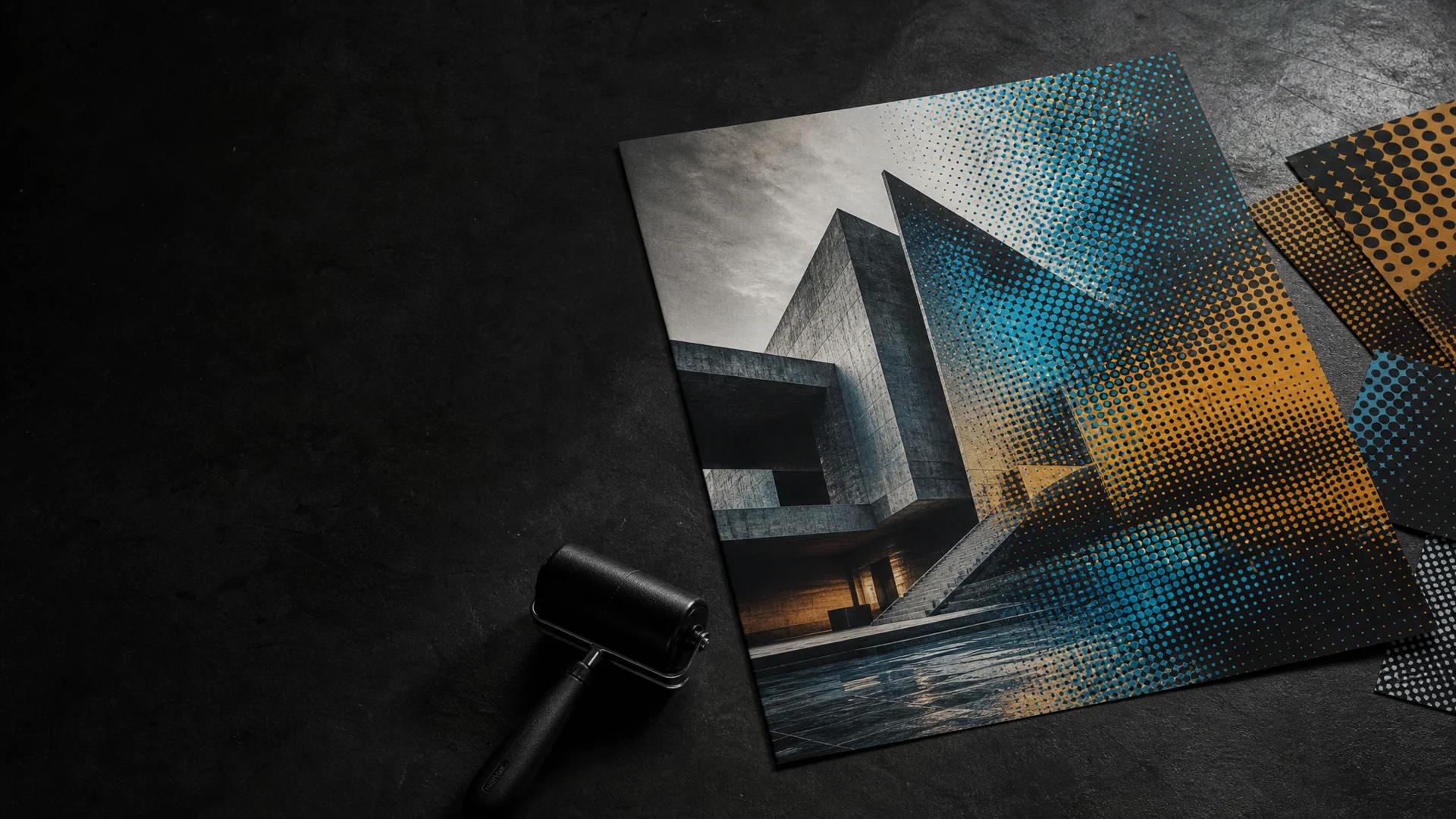
    Halftone print materials arranged as an architectural still life with a roller
    1. Home
    2. AI Image Effects
    3. AI Halftone Effect

    Halftone Generator: Turn Photos into Dot Art · Dot Art

    Build a graphic halftone look with dots, grain, and deliberate contrast

    The Halftone Generator changes a photograph into a deliberate pattern of dots, grain, and printed texture. Upload a portrait, product scene, landscape, or reference image, then describe the contrast and dot character you want. The Halftone Generator suits flat digital photos that call for the energy of a newspaper page, comic panel, or screen-printed poster. Fine dots create a quieter field of tone, while larger marks create a more assertive graphic presence. With the Halftone Generator, the same image can become a restrained magazine treatment or a bold campaign graphic. Name the qualities you want to emphasize: contrast, grain, limited color, strong outlines, or a softer field of marks. This Halftone Generator page is organized around practical choices about focal point, texture, and visual voice.

    Open the Halftone GeneratorView halftone examples
    Halftone print materials arranged as an architectural still life with a roller

    A static preview of a photograph translated into a halftone dot pattern.

    Use the Halftone Generator

    Start with a source image, then use a short description to guide dot size, contrast, texture, and color direction. The Halftone Generator focuses the process on one image and one visual treatment. For a controlled direction, describe whether the dots should feel fine and quiet or broad and assertive, then name the focal area. You can also mention a visual mood such as editorial, comic-inspired, or screen-printed, so the Halftone Generator has a clear style target.

    Loading...

    Halftone Generator before and after examples

    These Halftone Generator examples pair three source photographs with dot-based treatments: a window-lit portrait, a citrus and ceramic tabletop arrangement, and a city architecture scene. Each comparison highlights a different set of visual ingredients, including soft daylight, round fruit, folded paper, building facades, shadows, and street lines. Move across the before-and-after pairs to examine how dot spacing, tonal grouping, color restraint, and graphic emphasis vary from example to example. The captions identify the visible materials and setting so you can use them as references when planning a related prompt.

    Halftone Generator result

    Portrait editorial print

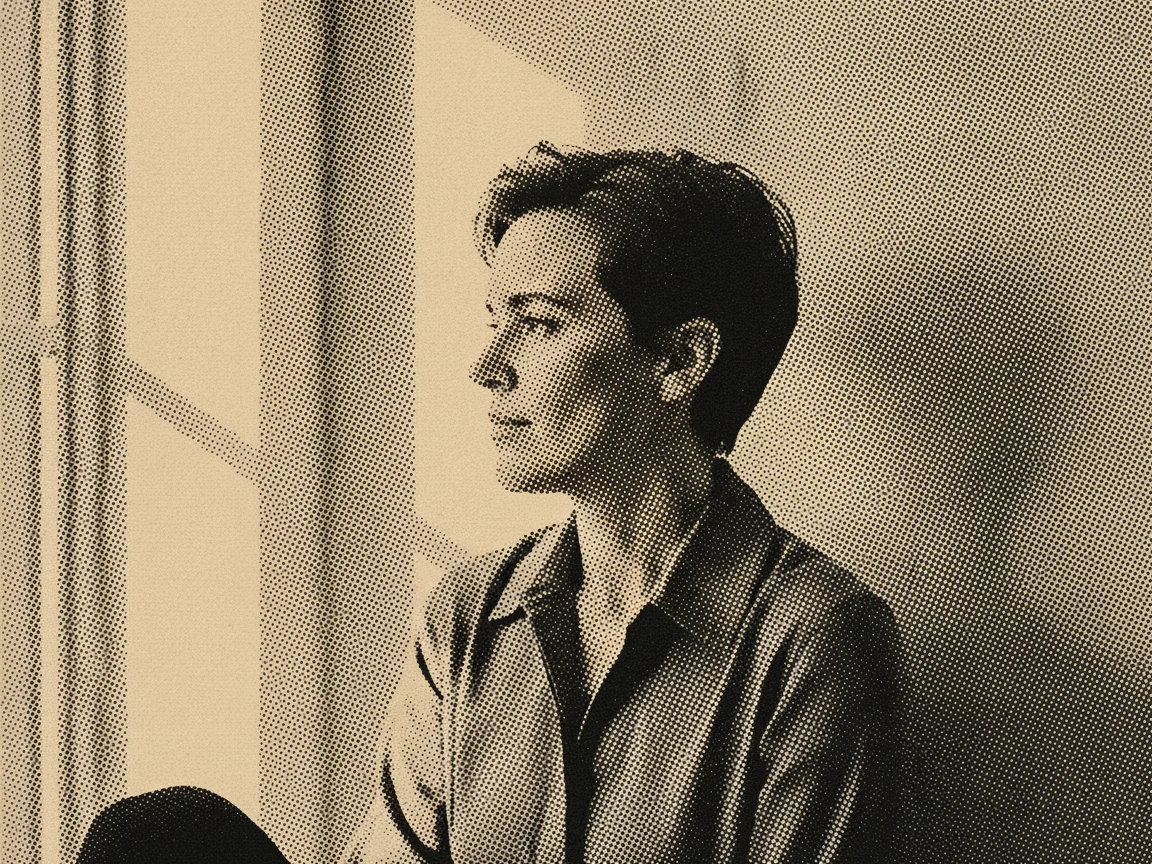
    A window-lit portrait becomes a measured dot composition

    This Halftone Generator example begins with a portrait in soft window light. The photograph has a plain backdrop, a direct gaze, textured hair, and a gradual transition from bright cheekbones to darker clothing. The Halftone Generator turns those tonal areas into an ordered field of dots with an editorial graphic character. Small marks gather around the face while larger areas establish the shadowed side of the frame. The comparison is useful for studying scale: the portrait reads as a person from a distance, while the dot pattern becomes more apparent at close range. Use it as a reference for portraits with directional light, uncluttered surroundings, and a clear focal area.

    • Window-lit portrait
    • Fine-to-medium dots
    • Editorial graphic direction
    Halftone Generator result

    Citrus tabletop still life

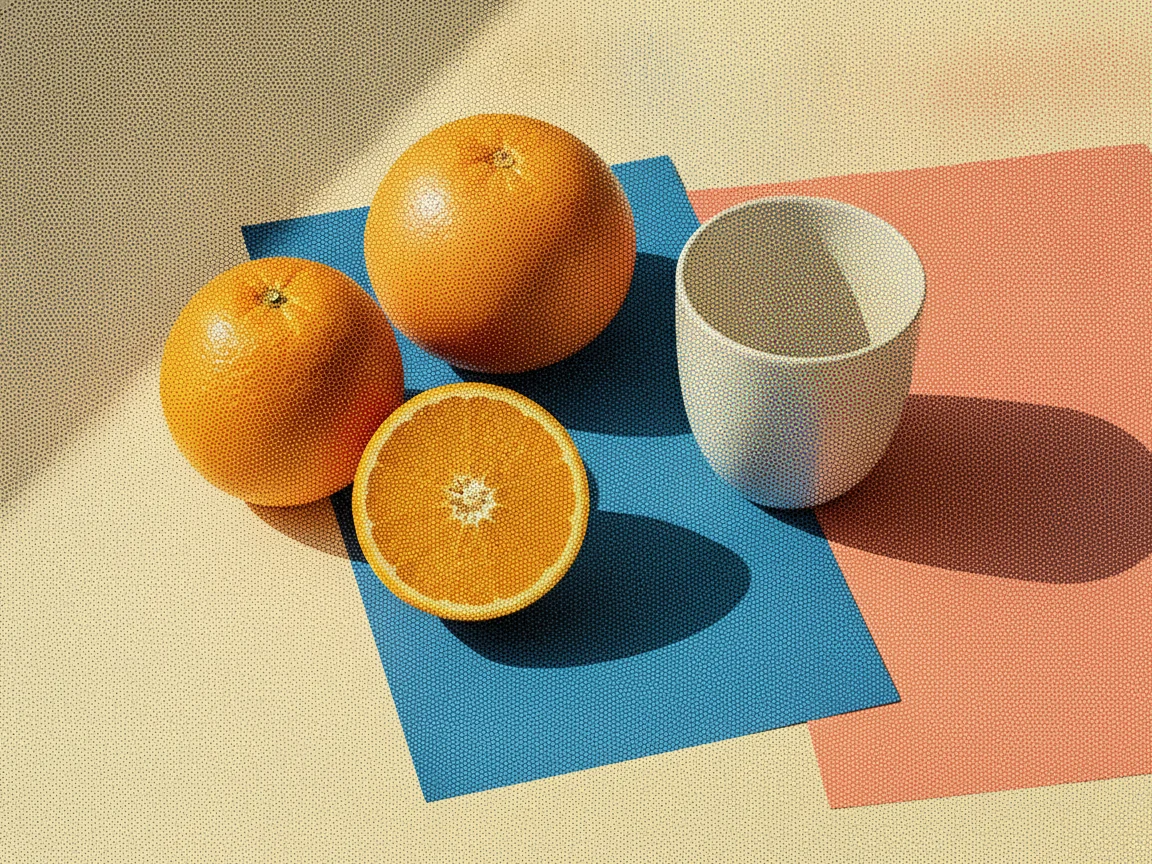
    Citrus, a ceramic cup, and folded paper form a dot-based still life

    The second Halftone Generator comparison is a tabletop still life built from citrus fruit, a ceramic cup, and folded paper. Round oranges and lemons sit beside the cup, while the folded paper introduces angular planes around the objects. The Halftone Generator translates the tabletop light into dot clusters, separating the fruit, cup rim, paper folds, and cast shadows with different densities. The arrangement makes it easy to compare rounded surfaces with crisp geometric edges in one frame. It is a useful reference for food styling, tabletop photography, and product arrangements where color blocks, simple shapes, and directional light structure a halftone study.

    • Citrus and ceramic cup
    • Folded paper planes
    • Tabletop light study
    Halftone Generator result

    City architecture street scene

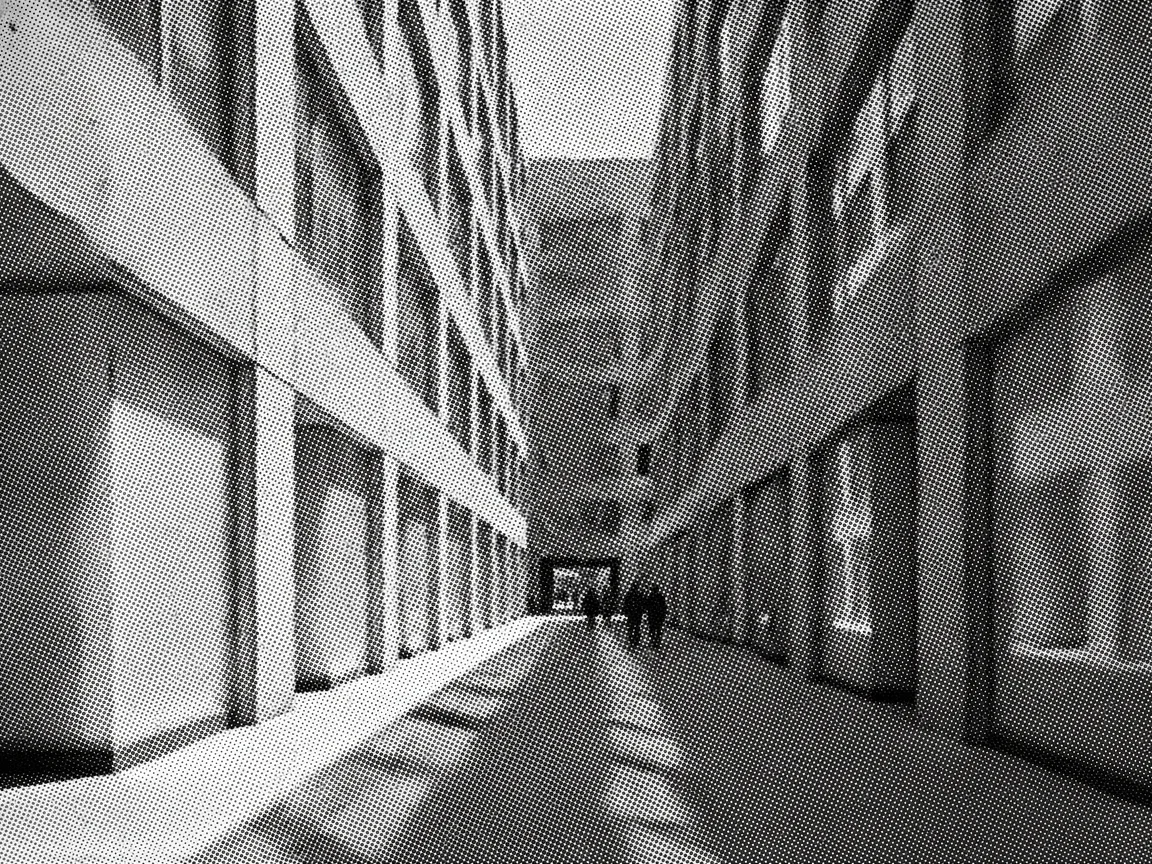
    A city architecture scene becomes a layered street graphic

    The third Halftone Generator pair uses a city architecture street scene with building facades, windows, pavement, and long directional shadows. Repeating windows and vertical edges give the dot treatment a rhythmic framework, while the street provides broader zones of light and shade. The Halftone Generator organizes the photograph into grouped tones that emphasize the graphic relationship between architecture and open space. Look at the facades, street line, and shadow boundaries to compare how dots collect around structural features. This example is useful for prompts about travel imagery, cultural posters, and urban editorials where geometric forms and daylight set the visual character.

    • City architecture scene
    • Facade and street lines
    • Grouped tonal fields

    Ways to use a Halftone Generator

    A Halftone Generator supports visual directions that need texture, contrast, and a distinct printed voice, especially when the source has a clear focal point and strong light-to-dark structure.

    ◼

    Halftone Generator for posters and event artwork

    A Halftone Generator can give a portrait, venue photo, or symbolic object strong tonal structure for event artwork. Use the Halftone Generator to turn a detailed photograph into a graphic focal image with a restrained layout. Dot texture adds a print-minded mood and visual rhythm.

    ▤

    Halftone Generator for editorial image treatments

    Editorial teams often need a consistent treatment for profiles, cultural stories, or opinion pieces. A Halftone Generator can make separate photographs feel related through contrast and dot texture, giving a familiar photo a graphic voice that supports the story framing.

    ◉

    Halftone Generator for music and nightlife visuals

    Portraits of performers, crowd scenes, instruments, and club interiors can carry a bolder print direction. A Halftone Generator turns those photographs into rhythmic, energetic imagery. Use the Halftone Generator with a focused palette description for a flyer, cover concept, or announcement graphic.

    ◇

    Halftone Generator for product campaigns

    Products with clean edges and controlled lighting are useful Halftone Generator sources; the treatment emphasizes shape, material, and negative space. A Halftone Generator helps when a standard product photo needs a more expressive companion image for a landing page, email, or social layout.

    ✦

    Halftone Generator for social image series

    Travel photos, portraits, pets, and everyday still lifes can anchor a social image series. A Halftone Generator introduces visible marks that change the feeling of a familiar photograph. Try the Halftone Generator with one focal area, then test dot scale and contrast across related posts.

    ▧

    Halftone Generator for comic-inspired compositions

    A Halftone Generator fits references that need a comic-adjacent surface without depending on one preset look. Use the Halftone Generator to explore larger dots, sharper contrast, or a restrained color direction and give a portrait or action image the language of printed panels.

    A simple Halftone Generator workflow

    The Halftone Generator workflow starts with a photo and a focused style description. Small prompt changes shift the result from fine grain to large comic-style dots.

    1

    Choose a clear source image

    Begin the Halftone Generator workflow with a photograph that has a visible subject and useful contrast. Faces, products, buildings, and objects with clean outlines give the Halftone Generator enough structure to translate light and shadow into dots. If the source is dark or crowded, describe which element should remain the focal point.

    2

    Describe the print character

    Tell the Halftone Generator whether you want fine grain, larger dots, high contrast, a muted palette, or a more editorial finish. A short description gives the Halftone Generator a clear direction without overloading the image. Mention the surface quality and mood you want, then let the original composition provide the subject matter.

    3

    Generate and download the treatment

    Generate the Halftone Generator treatment after selecting your image and style direction. Review the dots, contrast, and color grouping, then download the version that fits the next stage of your project. For a different direction, adjust the description and generate another variation with a note about scale, grain, or tonal separation.

    Halftone Generator questions

    Practical answers for preparing images and writing useful Halftone Generator descriptions.

    What does a Halftone Generator do?

    A Halftone Generator translates continuous photographic tones into visible dots or printed-style marks. The Halftone Generator makes a photo feel more graphic by changing smooth light and shadow into a textured surface with grouped tonal areas.

    Which images work well with a Halftone Generator?

    A Halftone Generator works well with portraits, product shots, architecture, still lifes, and landscapes that have a distinct focal point. Strong light-to-dark separation gives the Halftone Generator useful form, especially around faces, silhouettes, and edges.

    Can I guide dot size and contrast?

    Yes. Describe fine grain, large dots, soft contrast, hard contrast, or a restrained palette in your prompt. The Halftone Generator uses those words as style direction, so the Halftone Generator can move toward a subtle editorial texture or a bolder poster-oriented treatment.

    How is a halftone treatment different from a normal photo edit?

    A normal photo edit often adjusts brightness, color, or sharpness while leaving the continuous surface intact. A Halftone Generator changes the surface language itself by introducing dots and printed texture. That makes the Halftone Generator useful when the goal is a graphic interpretation rather than a conventional retouch.

    How should I approach composition?

    The Halftone Generator works from your supplied image. Photos with a distinct focal point give the Halftone Generator useful information about edges, light, and depth. Review the generated variation and refine your style description when you want to emphasize a different area.

    What should I consider before using a source image?

    Use images you own or have permission to use, especially for public work. A Halftone Generator changes the visual treatment of a photo, but image rights are a separate consideration. Use the Halftone Generator with images you are allowed to edit and publish.

    Give your next image a printed dot treatment

    Choose a photograph with a clear focal area, describe the print character you want, and use the Halftone Generator to explore a graphic direction. The Halftone Generator has more visual material to work with when faces, object edges, or architectural lines stand apart from a busy background. A treatment can be quiet and finely textured, or it can use broad dots and stronger tonal separation for a louder print effect. Try a compact grain for an editorial feeling, then a larger dot pattern for a poster-like composition. With each Halftone Generator variation, compare the overall silhouette first, then inspect the smaller marks. That simple review helps you decide whether the treatment suits the story, product, person, or place you want the image to communicate.

    Try the Halftone Generator